Internet Packages (Create, Edit, Delete)
By Timo Kavuma - Oct 23, 2025
To Create, Edit and Delete Internet Packages, you just need to visit the Packages Link in your account's side menu.

After selecting the Packages, you will be taken to your router(s).
STEP 1: Select the add package button

STEP 2: On the popup you are presented with inputs to fill out. i) Label - Which is the actual text the customers see on the captive portal. ii) Profile name - Which is just a system name for the package. iii) Duration - The maximum time a user should be online. iv) Bandwidth, The upload and download speeds each user on that profile gets, v) Devices - The maximum number of devices that should be able to connect using one voucher.
If you need help with section, do not hesitate to reach out to us, otherwise when you are satisified with everything, select the create package button.

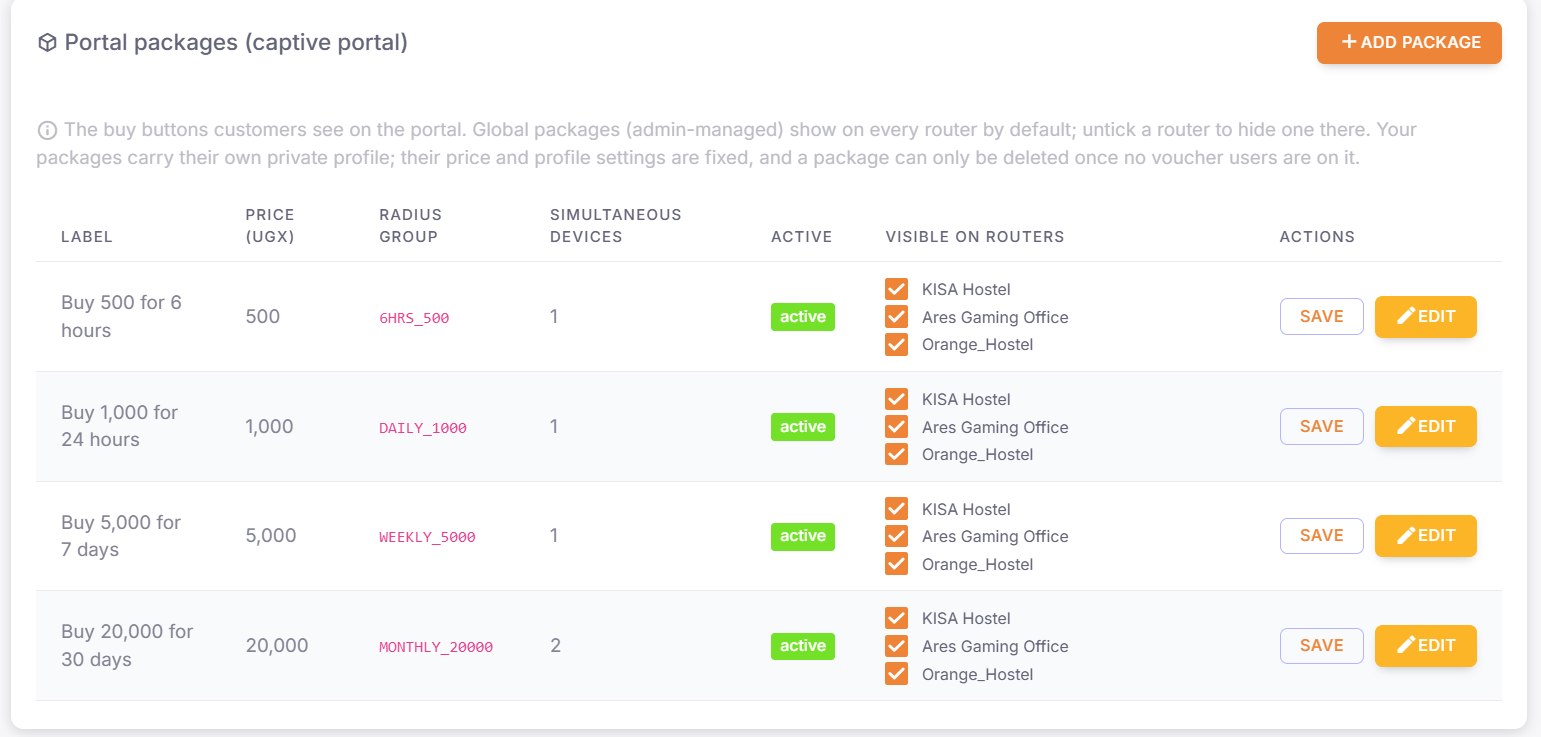
STEP 4: You will be presented with a list of packages a long with a column that contains your routers, select a router that you want displaying the specified package and select save.

The captive portal will appear with the packages you have actived on each router:

OPTIONAL:
While we've covered the create, it is important to note that we also have the Delete and Edit options available to us.
